AI Body Swap

AI Body Swap puts your reference person into a short video, including their hair, build and clothes. Keep the original motion as the guide.

Original video

One person · MP4/H.264 · 5–10 seconds · up to 100 MiB

Reference person

Show the full hairstyle, build and outfit. Up to 15 MiB.

Billed per whole second, rounded up. A 5-second video costs 50 credits at 480p or 100 credits at 720p.

Loading your account…

Failed generations cost no credits. View credit packs

Original audio is not guaranteed. Add audio to the downloaded result if needed.

Your saved videos
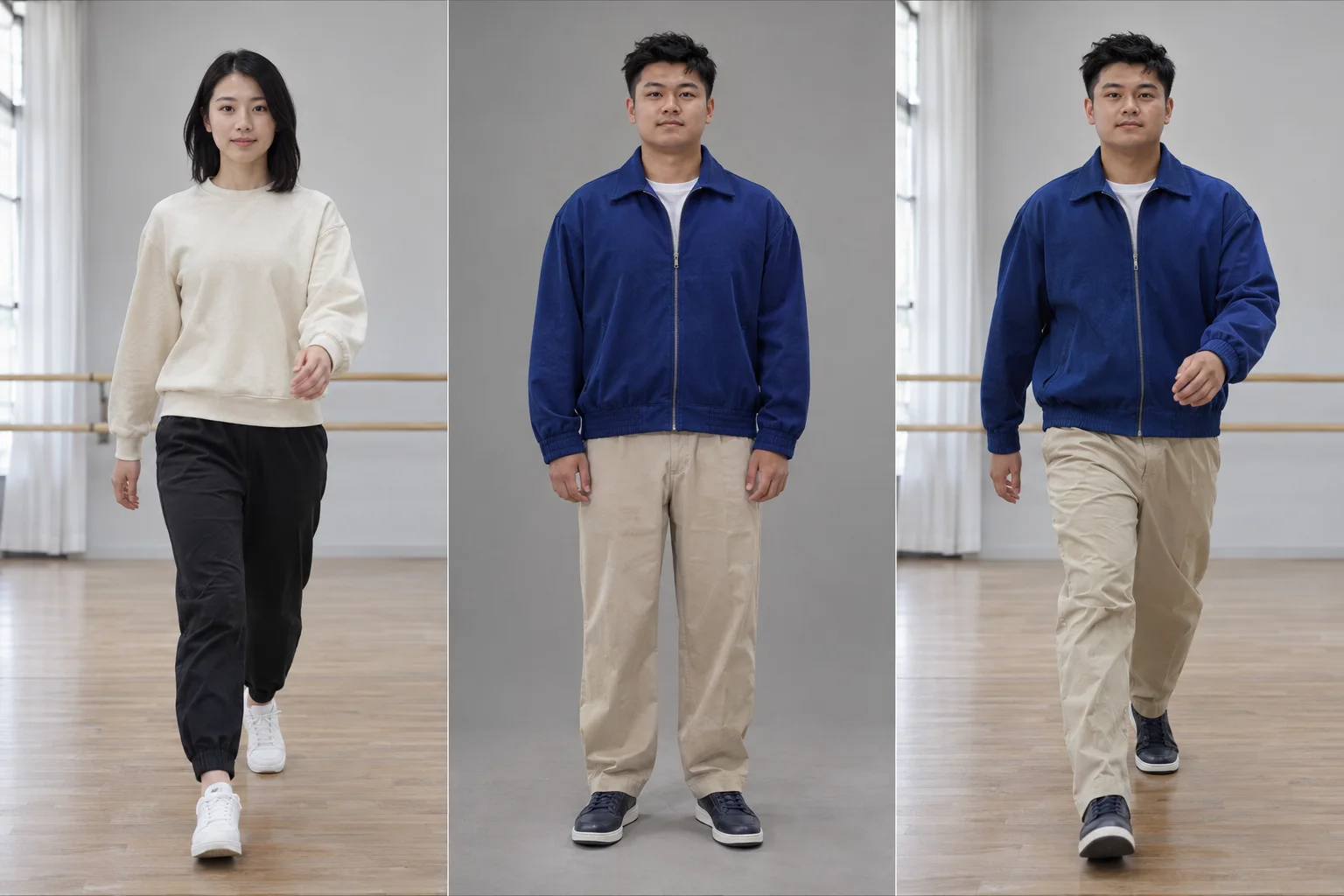
AI Body Swap illustrative frames showing a walking performer, a reference man in a blue jacket and a full-body replacement in the same studio
Source frameReference personReplacement illustration
Illustrative concept · not a result generated by this tool.

Use photos and videos you have permission to edit. Review generated details before sharing.

AI Body Swap: keep the step, change the person

AI Body Swap is a full-person video edit. Upload a 5–10 second MP4 with one performer and a clear reference photo. The video supplies movement, timing and setting; the photo supplies the replacement person's identity and outfit. Review the full clip to check how consistently that appearance carries through the motion.

AI Body Swap illustrative frames showing a walking performer, a reference man in a blue jacket and a full-body replacement in the same studio
Source frameReference personReplacement illustration
Illustrative concept · not a result generated by this tool.

The still illustration shows a performer, a replacement reference and the intended full-body change in the same studio. Hair, build and clothing change together. These are illustrative frames, not a generated video or a demonstration of temporal consistency.

Change the whole on-screen person

AI Body Swap uses the reference for the face, hairstyle, body silhouette and wardrobe. A full-body image is more useful than a cropped selfie when the video shows legs, shoes or large arm movements. The reference should clearly show the look you want in every visible area.

Use the source video's performance

The replacement mode uses the original movement, camera and scene as guidance. Start with a steady single shot and moderate movement. The output is regenerated footage, so background details, fine gestures and facial features can drift; compare the result across the whole clip.

See the cost before generating

Sign in, upload both files and choose 480p or 720p. AI Body Swap quotes the cost before you create: 10 credits per billed second at 480p or 20 at 720p, rounded up to the next whole second. Failed jobs release reserved credits; refreshing a running task does not start another generation.

How to create an AI Body Swap video

  1. Choose a short, single-person clip

    Upload a 5–10 second H.264 MP4, up to 100 MiB, 1080p and 30 fps. Use one continuous shot with the subject visible. Trim a longer video before uploading.

  2. Add a full-look reference

    Use a JPG, PNG or WebP photo up to 15 MiB. Show the replacement person's face, hair, clothes and body clearly, with a crop and angle close to the performer in the clip.

  3. Check the quote and create

    Choose the resolution, check the credit total and click Generate. The task can be reopened while it runs. Watch for changes around turns, hands and clothing before downloading the MP4.

AI Body Swap: questions & answers

Does AI Body Swap change clothing and body shape?

Yes. The reference image guides the replacement person's facial identity, hairstyle, body build and clothes. Unlike video face swap, the tool is intended to change the whole visible person. Use a full-body reference when the source shows the whole performer, and inspect garment details across moving frames.

Does AI Body Swap preserve the original scene?

The tool uses replacement mode to follow the original scene, camera and motion. That is a generation objective, not a pixel-perfect guarantee. Fine background elements, props or shadows can change, particularly during occlusion and fast movement. Start with a simple single-person shot and compare it with the output.

What video length and resolution can I use?

This version accepts 5–10 second H.264 MP4 clips up to 100 MiB, 1080p and 30 fps. Output options are 480p and 720p. Longer videos need to be trimmed first. Multi-shot sequences and selecting a specific person from a group are not supported in this first version.

Is AI Body Swap free?

Video body swaps require a signed-in account and credits. A five-second clip costs 50 credits at 480p or 100 credits at 720p. The exact quote is shown after the uploaded file is verified. The free first Standard image generation does not apply to video body swaps.

Can I reopen a running body swap or download it later?

Yes. A submitted task keeps running when you leave the page. Return with the same account to reopen it, or find it under Videos in My looks. Files expire after seven days. If the model fails, reserved credits are released; do not create a duplicate while a submission is being checked.