AI Person Swap

AI Person Swap brings a new person, hairstyle and outfit into your scene. Add the original photo and the person you want to see in it.

Original scene

Use a clear photo with one visible person.

Reference person

Upload the person, hairstyle, build and outfit you want to use.

Your first Standard generation is free across SameMuse. Failed generations cost nothing.

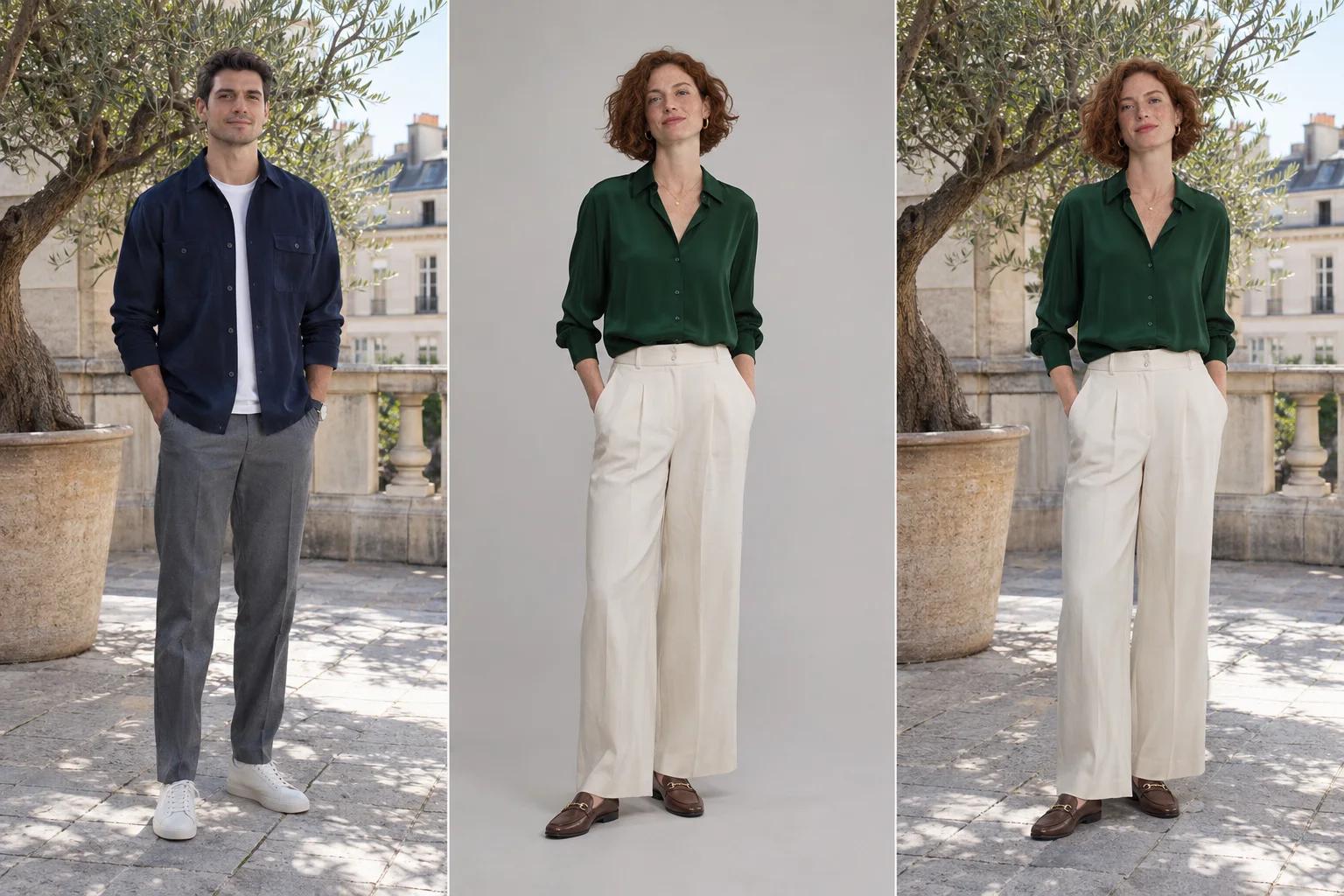
AI Person Swap illustration showing an original terrace photo, a reference woman in an emerald blouse and the replacement composition
Original sceneReference personReplacement illustration
Illustrative concept · not a result generated by this tool.

Use photos and videos you have permission to edit. Review generated details before sharing.

AI Person Swap: a new person in the same setting

AI Person Swap replaces the whole person in a photo using another person's image as a reference. The original supplies the scene, pose and composition; the reference supplies facial identity, hairstyle, body build and clothing. Use it to explore a new subject in a travel photo, a portrait setting or a fashion concept.

AI Person Swap illustration showing an original terrace photo, a reference woman in an emerald blouse and the replacement composition
Original sceneReference personReplacement illustration
Illustrative concept · not a result generated by this tool.

This illustration shows the intended relationship between the three images: the original terrace, the replacement person's full look and the new composition. Both the hairstyle and outfit come from the reference. It is a concept illustration, not an output from this tool.

Replace hair, body and clothing together

AI Person Swap follows the reference person's complete visible appearance. A clear full-body photo gives it more information about proportions, sleeves, trousers and shoes. A face-only selfie cannot specify an outfit or body details that are outside the frame.

Let the original photo guide the scene

The edit is instructed to retain the original location, framing and pose while adapting the new person to the light. Similar camera angles and crops make that goal easier. Check the background, shadows and hands; generative editing can change fine details.

Compare a complete new look

Use the original/result comparison to inspect more than the face. Check the hair silhouette, garment shape and body proportions against your reference. If you want the same person in different clothes, use AI Clothes Changer instead; that workflow keeps the original identity.

How to use AI Person Swap

  1. Upload the original scene

    Choose a sharp photo with one clearly visible person. Include the whole body if you want a full-length replacement and avoid heavy foreground obstructions.

  2. Add the replacement person's photo

    Upload a separate photo showing the person, hairstyle, body and clothes you want. Match the original's viewing angle where possible. Only use images you have permission to edit.

  3. Generate, compare and download

    Choose Standard or HD, check the displayed credit cost and generate. Review the result beside the original before downloading, or change the reference to try another person.

AI Person Swap: questions & answers

Does AI Person Swap replace the outfit too?

Yes. This tool is designed to replace the whole person, including their hair, body build and outfit, with the appearance in the reference image. It does not deliberately preserve the original person's clothes. Keep all important clothing details visible in the reference and review them in the result.

How is AI Person Swap different from face swap?

A face swap focuses on facial identity and generally leaves the original hair, body and clothing in place. AI Person Swap changes the person's broader appearance. Choose Photo Face Swap when you want a new face while keeping the existing body and outfit; choose this tool for a complete replacement.

Can I replace one person in a group photo?

This first version is intended for single-person photos and has no person-selection control. Use a photo where the subject to replace is the only person visible. In crowded scenes, the model may choose the wrong subject or alter other people, so group replacement is not supported.

How much does an image edit cost?

Your first Standard image generation across SameMuse is free without an account. After that, sign in to continue: Standard uses 10 credits and HD uses 20. Switching between image tools does not reset the trial. Failed generations release reserved credits.

Can I download and revisit my result?

Download your preview when it is ready. Signed-in image results are available in My looks, and you can pin a result to find it again before it expires. Uploads and results are automatically removed after seven days, so download any files you want to keep.