Start with the silhouette
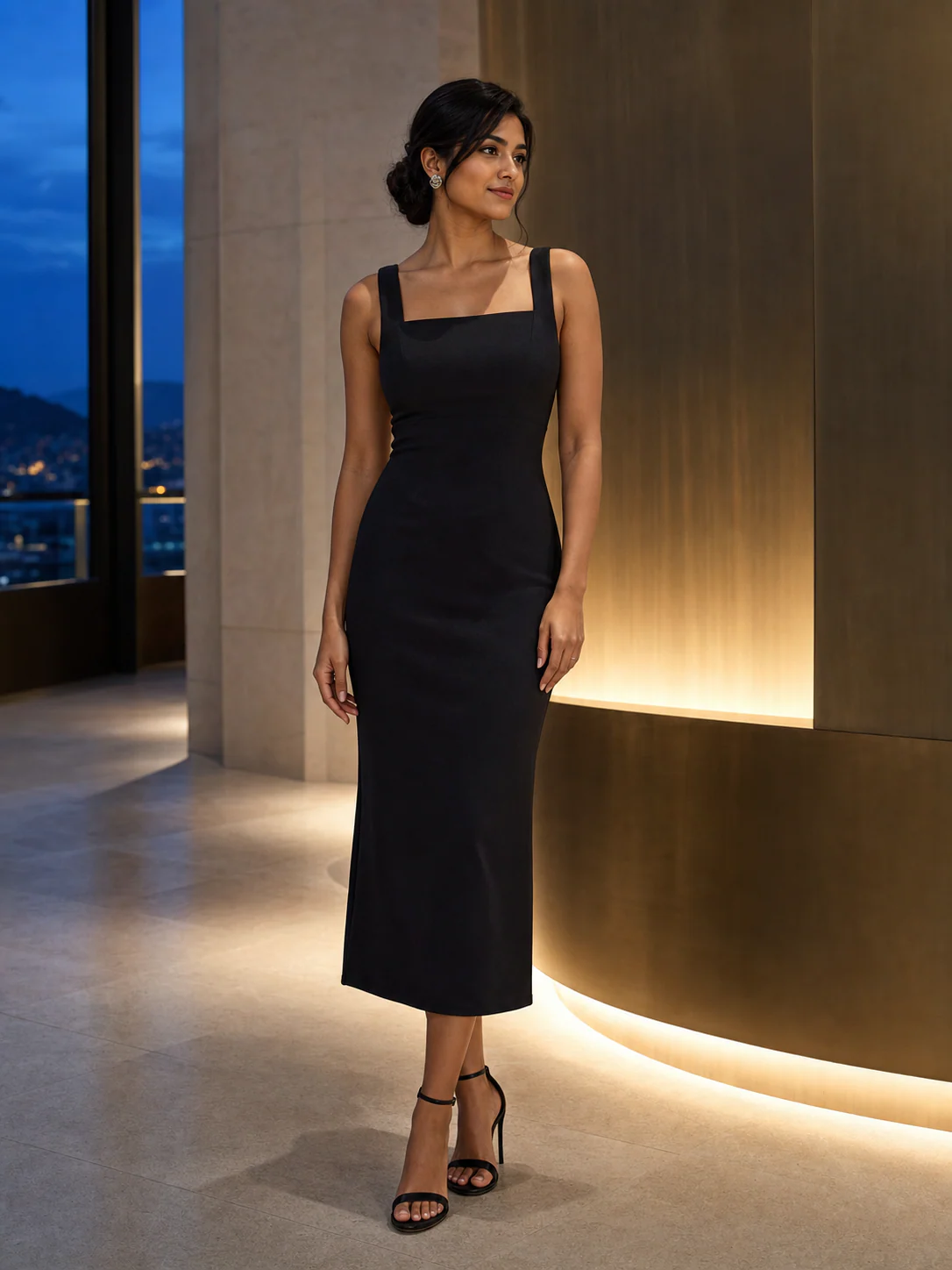
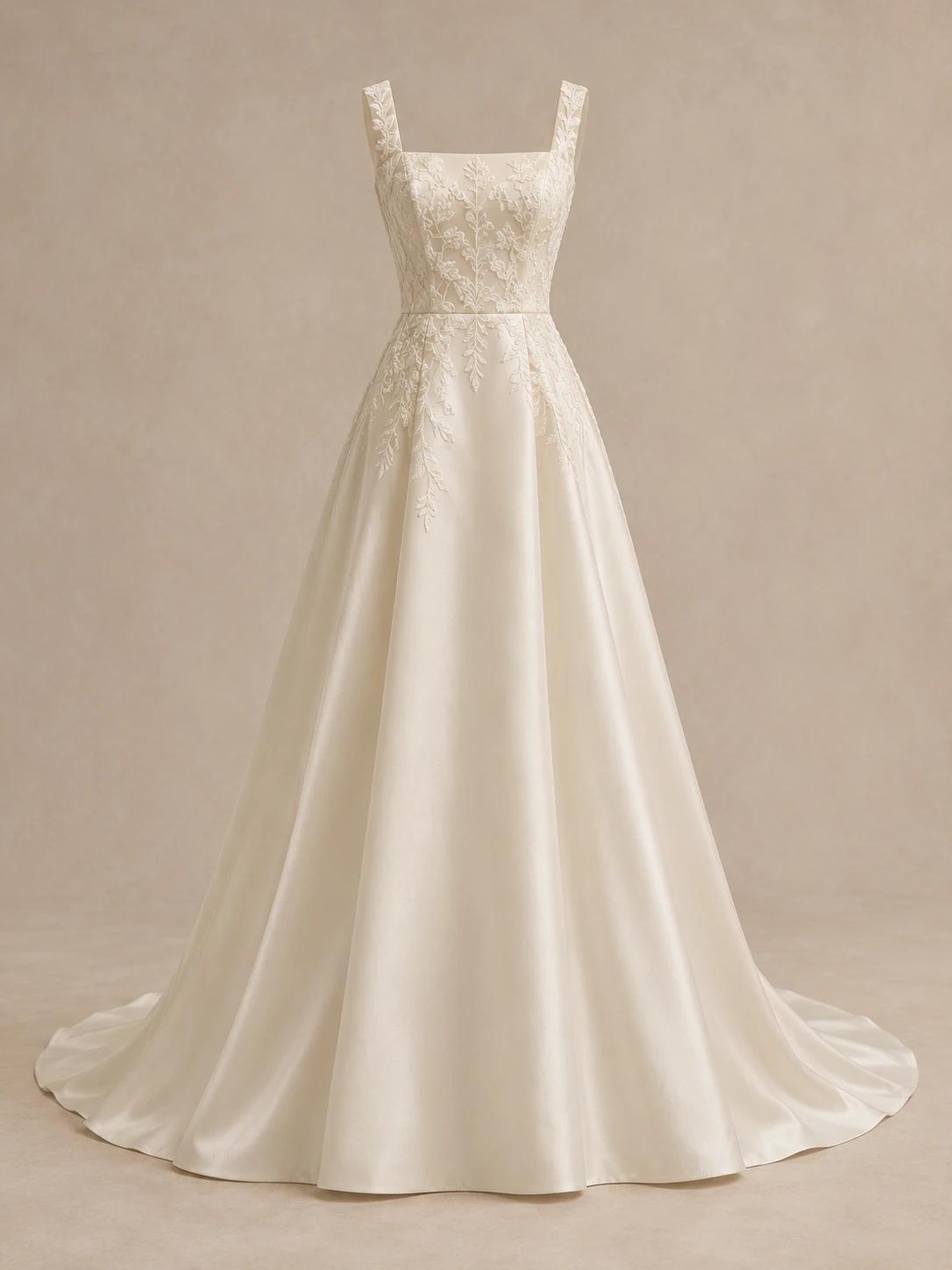
The A-line reference flares out from a defined waist. To compare a mermaid silhouette or a fuller ball gown, upload a separate gown image for each. Keep the person photo unchanged so the skirt shapes are easier to judge.
Wedding dress try on with your own photo helps you explore a bridal look before a fitting. Add a gown image to compare its neckline and silhouette.
 Dress referenceExplore this example →
Example try-on
Your first Standard preview is free. A styling preview, not a size recommendation.
The bridal silhouette study
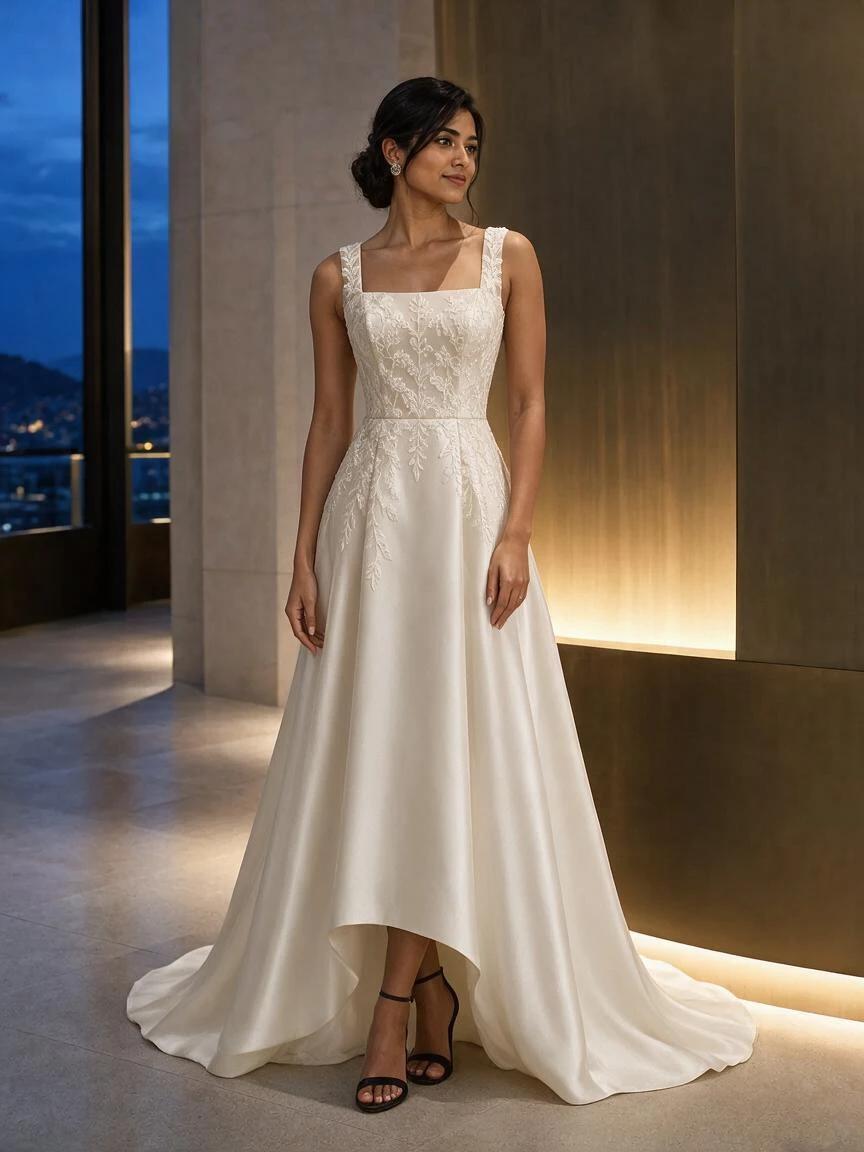
The same portrait is paired with a square-neck ivory gown, botanical lace and an A-line skirt. Compare the bodice, waist and hem with the gown reference to see what the preview preserves and what it changes.
One garment image. The same person photo.
Created with SameMuse's Standard try-on model from the two example images shown. Your result will vary.
The A-line reference flares out from a defined waist. To compare a mermaid silhouette or a fuller ball gown, upload a separate gown image for each. Keep the person photo unchanged so the skirt shapes are easier to judge.
The preview follows the square neckline and ivory color, but raises the front hem and changes the train. Lace placement also differs. Compare these details with the reference before adding the gown to your shortlist.
Use wedding dress try on to narrow down the necklines and skirt shapes you want to explore with a bridal stylist. Save those previews for your appointment; support, comfort, movement and alterations still need a real fitting.
A bridal preview cannot establish the exact fit, fabric weight, lace pattern or train length. Use it for style exploration, then confirm the actual gown at your fitting.
Virtual wedding dress try on places a gown reference onto your own photo. Explore a bridal silhouette and neckline at home, then take your shortlist to a real fitting.
Use a simple standing pose with your arms away from your waist. Leave space around your feet and both sides of the skirt.
Choose a front-facing gown image with the bodice and skirt visible. Crop out other dresses, price labels and shop controls.
Generate each gown separately on the same photo. Compare the broad silhouette and neckline, then save your favorites for an appointment.
Good to know
Your first standard try-on works without an account, and your photos are removed automatically.
Upload a clear full-length photo and a separate image of the bridal gown. SameMuse uses your photo as the base and the gown as the clothing reference. You can explore the overall bridal look before booking a fitting, without writing a text prompt.
Use a separate gown reference for each style and keep the same person photo. Generate them one at a time, then compare the results. A clear reference and room around the skirt help; the tool does not create every silhouette from a name alone.
Use a clear gown image you have permission to use, or a cropped shopping screenshot. Include the whole bodice and skirt. Front-facing references are easier to compare with a front-facing portrait than runway shots with a turned or hidden dress.
Not necessarily. AI may simplify fine lace, move beading or change the shape of a train. Inspect those areas against the reference. The preview helps explore the general look; it cannot verify the gown's construction or reproduce every detail exactly.
No. It does not measure your body or show how the gown feels or moves. Use it to narrow your style choices before an appointment. A bridal stylist can help assess sizing, support, fabric and alterations in person.
Your first Standard try-on is free and works without an account. Further Standard generations use 10 credits; HD uses 20. Sign in for more generations. Technical failures release the reserved credits.
Your uploads and results stay private and are deleted automatically after seven days. They are not used for model training. Download the previews you want to keep before they expire.
Credits, plainly priced
Standard costs 10 credits. HD costs 20. Failed generations cost nothing.
300 credits · 30 Standard or 15 HD try-ons · Purchased credits never expire
$7.99
Compare one-time packs with the Monthly plan, including credit expiry and billing rules.
Compare all plans