AI Hairstyle Changer

AI Hairstyle Changer helps you explore a different cut, length or texture. Upload a portrait and choose a style or describe your own.

Your photo

Use a clear portrait with the hair fully visible.

At least 10 characters. Presets are editable.0/600

Your first Standard generation is free across SameMuse. Failed generations cost nothing.

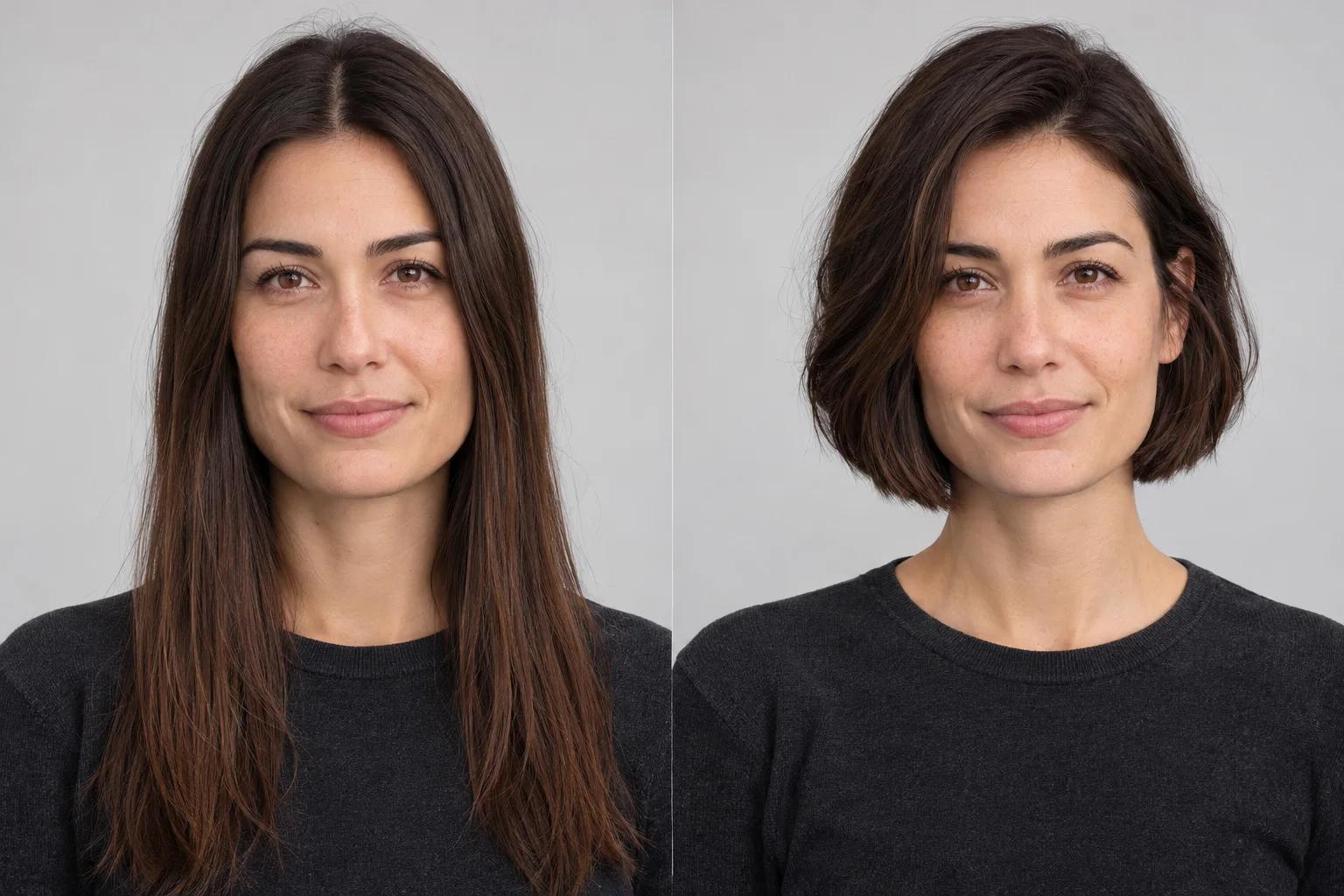
AI Hairstyle Changer illustration comparing long straight dark hair with a chin-length bob on the same portrait
Original hairstyleHairstyle illustration
Illustrative concept · not a result generated by this tool.

Use photos and videos you have permission to edit. Review generated details before sharing.

AI Hairstyle Changer: long hair to a chin-length bob

AI Hairstyle Changer edits the hair in your portrait using a written style description. It aims to keep the same face, hair color, clothing and setting while changing the haircut, part, length or texture. Use it to compare a shorter cut, a softer wave or a different silhouette on your own photo.

AI Hairstyle Changer illustration comparing long straight dark hair with a chin-length bob on the same portrait
Original hairstyleHairstyle illustration
Illustrative concept · not a result generated by this tool.

This illustration explores a chin-length bob while retaining the subject's dark brown hair color and portrait setting. Compare the outline around the jaw and ears. The image shows a styling concept, not a verified output or a promise of salon results.

Try a new length before committing

AI Hairstyle Changer includes editable presets for a chin-length bob, soft waves, a pixie cut and a textured crop. These are starting descriptions, not fixed salon templates. Adjust the length, fringe or part to match the idea you want to discuss with a stylist.

Keep your face and color as the reference

The edit focuses on hair shape while aiming to retain facial features, expression and current hair color. A new fringe or shorter cut changes what is visible around the forehead, ears and neck. Review these areas carefully in the original/result comparison.

Describe the details that matter

Give AI Hairstyle Changer a concrete direction: a jaw-length bob, a side part and a softly rounded outline. Clear descriptions are more useful than asking for the best haircut. The preview is a visual idea and does not assess hair density, growth patterns or styling effort.

How to use AI Hairstyle Changer

  1. Upload a portrait with visible hair

    Use one person facing forward or at a gentle angle. Keep the top and sides of the hair in frame and avoid hats or heavy face obstructions.

  2. Choose a cut and refine the description

    Pick a hairstyle preset or write your own 10–600 character description. Mention length, texture, fringe and part. The original hair color is kept as the editing target.

  3. Generate your hairstyle preview

    Choose Standard or HD and create the preview. Compare the face, hairline and outline, then download the image or edit your choices for another look.

AI Hairstyle Changer: questions & answers

Does AI Hairstyle Changer also change hair color?

This tool targets haircut, length, part and texture while being instructed to keep the original hair color. For a different shade, use Hair Color Changer. Separating the two edits makes it easier to compare what a new shape does to your look before exploring a new color.

Can AI Hairstyle Changer preview short hairstyles?

Yes. Try the bob, pixie or textured crop preset, or describe a specific short style. When long hair is shortened, the model may need to invent details behind it, such as ears and the neck. Inspect those areas and your facial features before keeping the result.

Will the hairstyle suit my real hair?

The preview helps you see a visual direction on your photo, but it does not measure hair density, natural growth, scalp coverage or maintenance needs. Bring a favorite preview to a stylist and discuss how your actual hair could achieve a similar cut and shape.

How much does an image edit cost?

Your first Standard image generation across SameMuse is free without an account. After that, sign in to continue: Standard uses 10 credits and HD uses 20. Switching between image tools does not reset the trial. Failed generations release reserved credits.

Can I download and revisit my result?

Download your preview when it is ready. Signed-in image results are available in My looks, and you can pin a result to find it again before it expires. Uploads and results are automatically removed after seven days, so download any files you want to keep.