Hair Color Changer

Hair Color Changer previews a new shade without choosing a new haircut. Upload a portrait and select the color you want to explore.

Your photo

Use a clear portrait with the hair fully visible.

Choose a hair color

Your first Standard generation is free across SameMuse. Failed generations cost nothing.

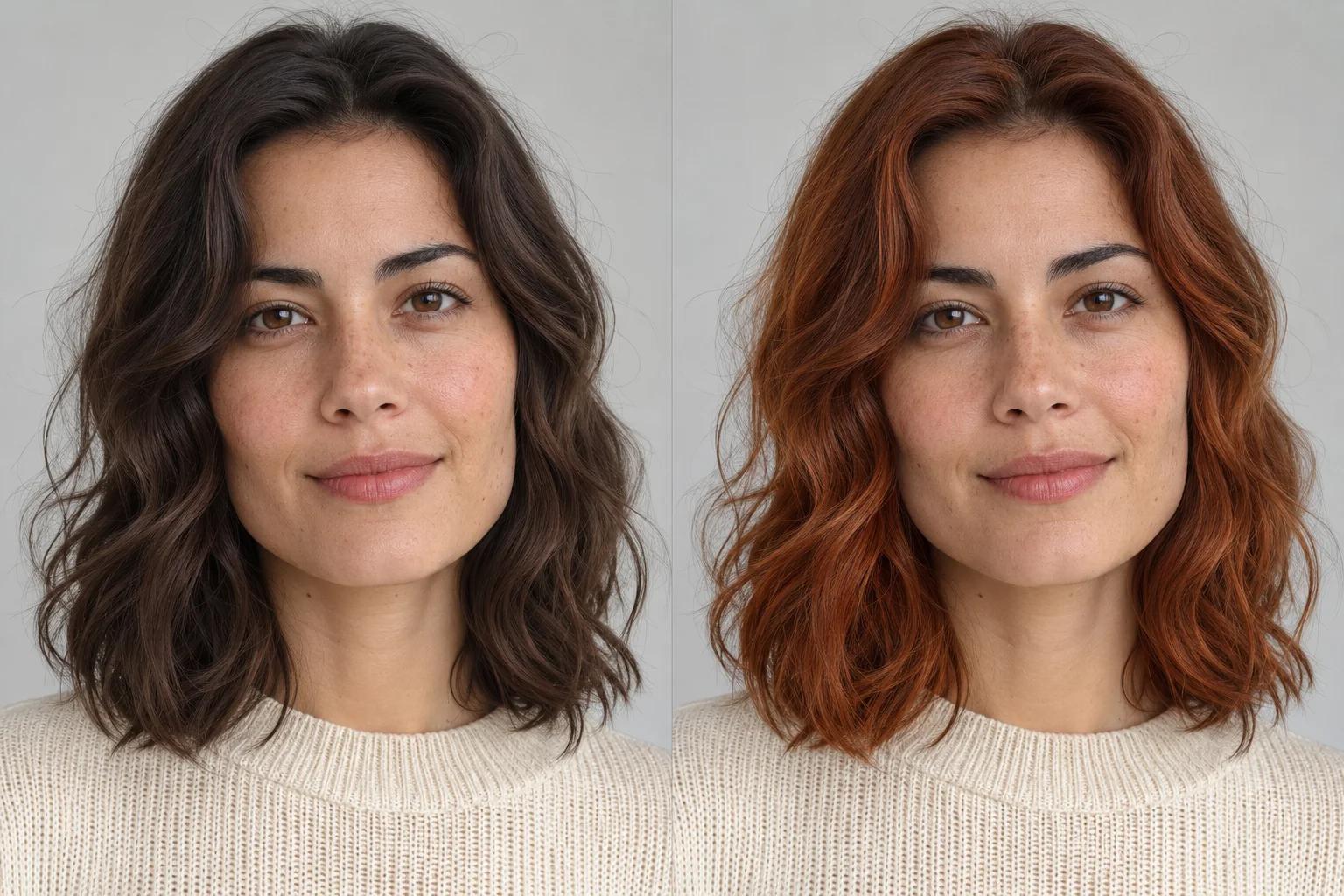
Hair Color Changer illustration comparing dark brown and copper hair on the same wavy shoulder-length portrait
Original colorColor illustration
Illustrative concept · not a result generated by this tool.

Use photos and videos you have permission to edit. Review generated details before sharing.

Hair Color Changer: dark brown to copper

Hair Color Changer uses your portrait and a selected shade to create an AI hair-color preview. The edit targets scalp hair while aiming to retain the existing cut, part, waves, face and background. Compare natural tones or a more expressive shade before bringing an idea to your stylist.

Hair Color Changer illustration comparing dark brown and copper hair on the same wavy shoulder-length portrait
Original colorColor illustration
Illustrative concept · not a result generated by this tool.

The illustration keeps a shoulder-length wavy hairstyle while exploring a copper shade. Notice how highlights and shadows remain part of the hair texture. This concept image is not a result from the tool and does not predict a real dye treatment.

Explore natural and expressive shades

Hair Color Changer offers quick choices for copper, chocolate, blonde, black, burgundy and silver. Use the custom color picker for another direction. Each new shade is a separate generation, so compare the previews you have already made before choosing another.

Keep the haircut as the starting point

The instruction changes hair color while retaining length, shape and texture. Hair that overlaps the face or blends into a dark background can be harder to separate. Check the hairline, eyebrows and fine strands around the shoulders for unintended changes.

Bring a visual idea to your stylist

A Hair Color Changer preview can help explain the overall tone you like. It is not a color formulation or a guarantee of what dye will do to your hair. Your starting color, previous treatments and lighting will affect a real salon result.

How to use Hair Color Changer

  1. Add a well-lit portrait

    Choose one person with the hair fully visible. Avoid hats, strong colored light and filters that hide the original hair texture.

  2. Pick your next hair color

    Select a preset swatch or open the custom color picker. The shade guides the edit; highlights and shadows will still affect how it appears.

  3. Preview, compare and download

    Generate the preview and compare it with the original. Check the hairline and face, then download your favorite or try another color.

Hair Color Changer: questions & answers

Will Hair Color Changer change my haircut?

The tool is instructed to keep your haircut, length, part and texture while changing color. Generated details can still differ, particularly around fine strands and occluded areas. If you want a new cut or length, use AI Hairstyle Changer instead and keep this tool for exploring shades.

Can Hair Color Changer preview blonde on dark hair?

Yes, you can select blonde or another light shade to explore its visual effect. The preview does not simulate bleaching, hair condition or the steps needed to reach that color. For a real change, discuss the generated reference and your hair history with a qualified stylist.

Can I choose a custom hair color?

Yes. Use the color picker to choose a shade beyond the presets. The chosen hex color guides the model, while the original image's lighting, shadows and strand texture affect the result. This is a visual preview rather than a calibrated color sample.

How much does an image edit cost?

Your first Standard image generation across SameMuse is free without an account. After that, sign in to continue: Standard uses 10 credits and HD uses 20. Switching between image tools does not reset the trial. Failed generations release reserved credits.

Can I download and revisit my result?

Download your preview when it is ready. Signed-in image results are available in My looks, and you can pin a result to find it again before it expires. Uploads and results are automatically removed after seven days, so download any files you want to keep.