AI Pose Changer

AI Pose Changer explores a new stance on the same person. Upload a photo, choose a pose or describe the posture you have in mind.

Your photo

Use a clear photo with one visible person.

At least 10 characters. Presets are editable.0/600

Your first Standard generation is free across SameMuse. Failed generations cost nothing.

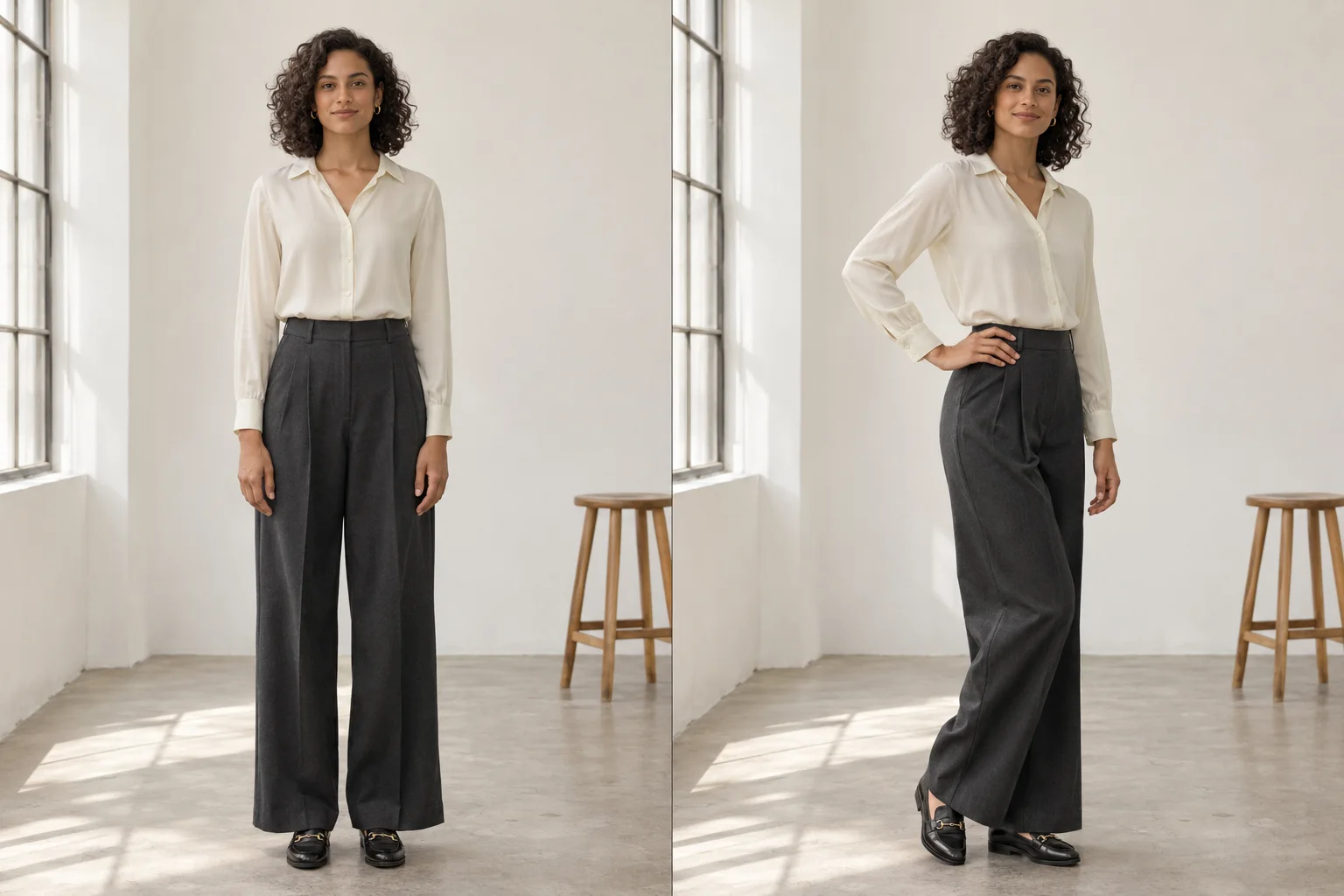
AI Pose Changer illustration comparing a front-facing stance with a three-quarter pose in the same ivory blouse and charcoal trousers
Original posePose illustration
Illustrative concept · not a result generated by this tool.

Use photos and videos you have permission to edit. Review generated details before sharing.

AI Pose Changer: from a straight stance to a three-quarter pose

AI Pose Changer edits a person's posture in an existing photo. It uses a pose description to guide the arms, legs and body orientation while aiming to retain identity, hair, outfit and setting. Try it for portrait ideas, a fashion lookbook or a different stance after a virtual outfit change.

AI Pose Changer illustration comparing a front-facing stance with a three-quarter pose in the same ivory blouse and charcoal trousers
Original posePose illustration
Illustrative concept · not a result generated by this tool.

The same illustrated subject wears an ivory blouse and charcoal trousers in both panels. The second pose shifts weight to one leg and rests one hand at the waist. This is a concept illustration; use your own preview to assess identity, clothing and anatomy.

Start with a simple pose preset

AI Pose Changer includes starting points for a relaxed stance, a three-quarter turn, a hand at the waist and a walking pose. Each preset fills an editable description. Change the wording to suit the original photo instead of forcing a pose that needs hidden parts of the body.

Keep the outfit in the picture

The instruction keeps the person and clothing while changing posture. Moving arms and legs creates new folds and reveals previously hidden areas, so prints, hands and fine garment details may change. Review these areas before using a pose variation for a product presentation.

Explore portrait and lookbook variations

Use AI Pose Changer to test how a look reads from a different body angle. Keep the original photo and edit the pose description for another preview. This is visual exploration, not a precise skeletal editor: you describe the posture rather than moving individual joints.

How to use AI Pose Changer

  1. Upload a clear person photo

    Choose a single-person image with the body parts you want to reposition visible. Use a full-length photo for a walking or standing pose.

  2. Choose or describe a pose

    Select a preset, then edit the description if needed. Specify the body angle, arm position and weight shift in 10–600 characters.

  3. Create and inspect your pose

    Generate a Standard or HD preview. Compare the face, hands, limbs and clothing with the original, then download the version you like.

AI Pose Changer: questions & answers

Will AI Pose Changer keep the same face and outfit?

That is the goal. The edit is instructed to preserve identity, hair, clothing and the setting while changing the pose. However, a new posture can reveal areas absent from the original photo. Inspect facial features, fingers, seams and patterns, especially when requesting a large turn or a different leg position.

Does AI Pose Changer need a reference pose image?

No. This version uses one person photo plus a written pose description or preset. It does not accept a second pose-reference image or a skeleton map. Describe the stance, arm position and body angle clearly, then refine the wording for another generation if needed.

Can I change the pose in a cropped portrait?

You can try a head turn, shoulder angle or arm adjustment within the visible crop. A waist-up photo does not provide reliable information for a full-body walking pose. Choose an original image whose framing already includes the body parts involved in your requested posture.

How much does an image edit cost?

Your first Standard image generation across SameMuse is free without an account. After that, sign in to continue: Standard uses 10 credits and HD uses 20. Switching between image tools does not reset the trial. Failed generations release reserved credits.

Can I download and revisit my result?

Download your preview when it is ready. Signed-in image results are available in My looks, and you can pin a result to find it again before it expires. Uploads and results are automatically removed after seven days, so download any files you want to keep.