Follow the neckline
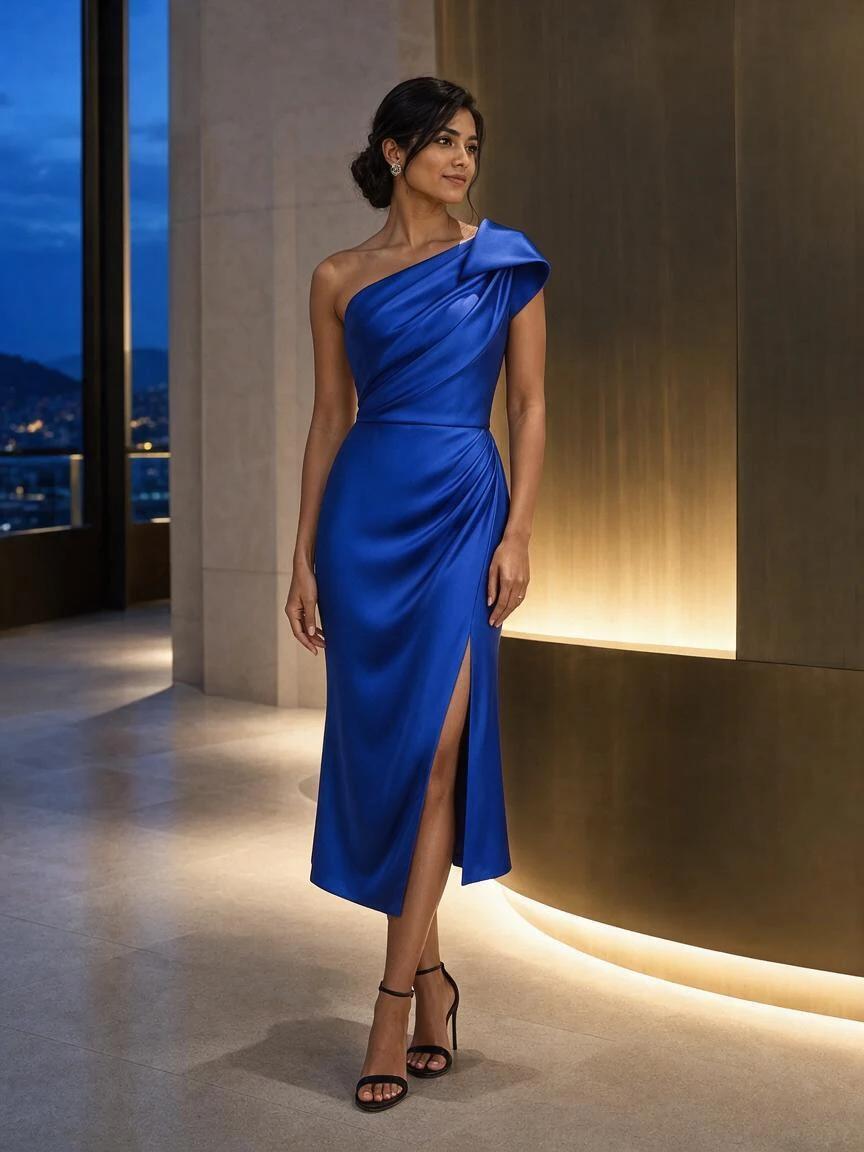
Compare the asymmetric shoulder and folded neckline with the reference. A clear front view gives the model more useful detail than a tiny shop thumbnail.
Virtual dress try on lets you see a dress on your own photo before buying. Add your photo and a dress image to explore the look.
 Dress referenceExplore this example →
Example try-on
Your first Standard preview is free. A styling preview, not a size recommendation.
The evening dress edit
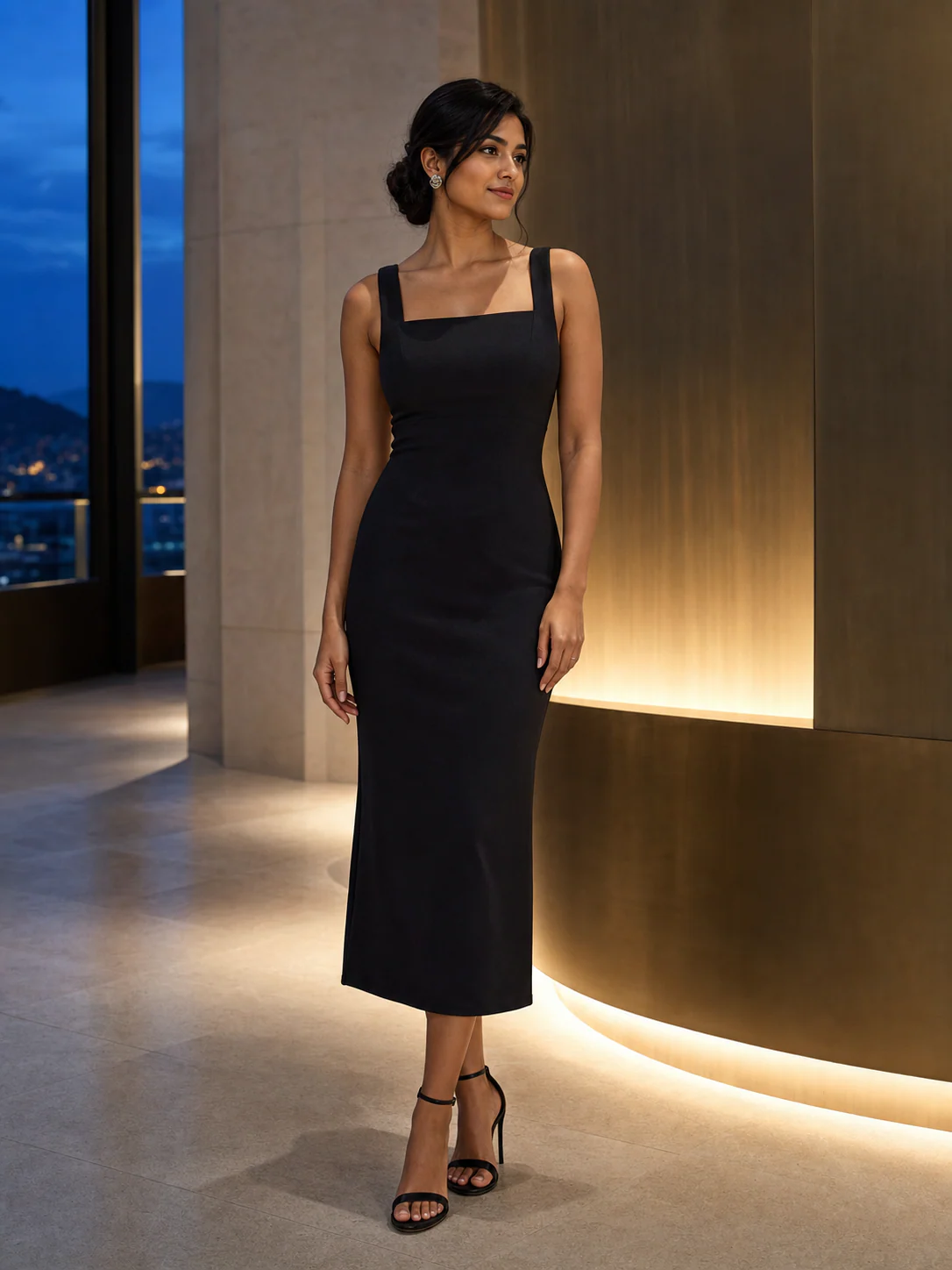
A black square-neck dress becomes a cobalt one-shoulder look. Compare the shoulder, draped waist and skirt slit with the dress reference. The two source images below were used to generate this result.
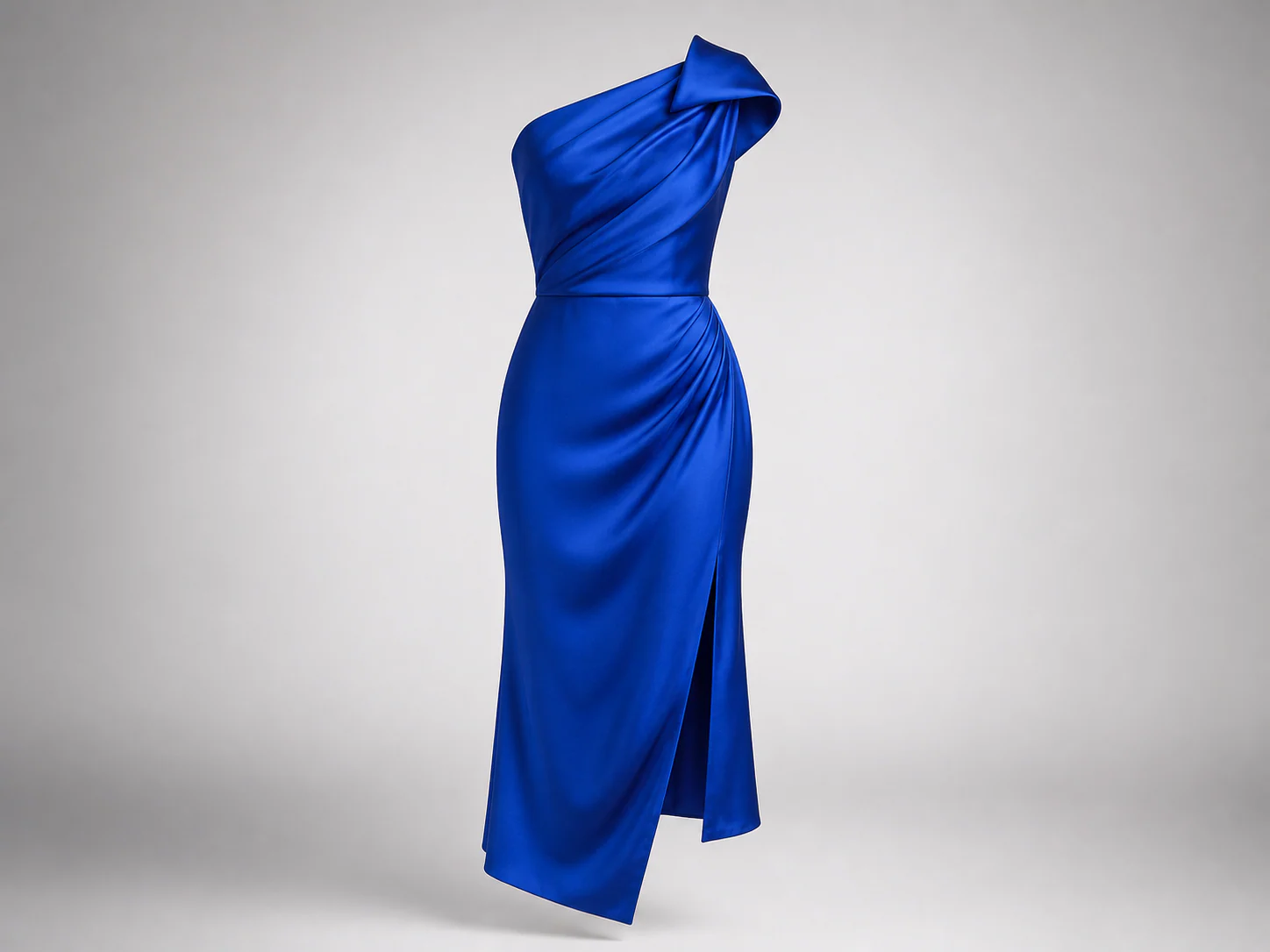
One garment image. The same person photo.
Created with SameMuse's Standard try-on model from the two example images shown. Your result will vary.
Compare the asymmetric shoulder and folded neckline with the reference. A clear front view gives the model more useful detail than a tiny shop thumbnail.
Check where the waist sits, how the skirt falls and how much of the legs is visible. Use those details to compare a midi with a maxi dress; generated length is not a garment measurement.
Use virtual dress try on to compare an evening dress, a wedding guest outfit or an everyday style. Keep the same original photo for each reference so you can judge color, neckline and formality together.
AI may change fabric details, edges or facial features. Review the full image before sharing, and check size, material and returns with the seller before buying.
Virtual dress try on combines a photo of you with a dress reference to show a possible look before checkout. Use it to compare styling, then check the retailer's measurements for fit.
Face the camera with your arms relaxed. Include your feet so a longer dress has room in the frame.
Upload a product photo, flat lay or shopping screenshot. Keep one complete dress visible, from neckline to hem.
Generate your preview. Choose Try another garment to keep the same photo, then compare the two looks.
Good to know
Your first standard try-on works without an account, and your photos are removed automatically.
Upload one photo of yourself and one image of the dress. SameMuse uses the person photo as the base and the dress as the clothing reference. The result is an AI styling preview, not a body scan or a prediction of exact fit.
You can upload a clear dress image or a cropped shopping screenshot. The garment step also accepts public product images and product-page links. Some stores block link imports; use a screenshot when that happens.
Yes, with a clear reference for each dress. For a maxi dress, include your feet and leave space around the hem. For a midi or cocktail dress, keep the waist and legs visible. Fine prints, sequins and reflective satin can be harder to reproduce, so compare those details with the product photo.
The tool is instructed to keep your identity, pose and scene while changing the garment. AI can still alter details. Check the face, hands, neckline and background against the original instead of assuming every part will stay identical.
No. It does not measure your body or test the dress's construction. Use the preview to narrow down a style, then compare your measurements with the retailer's size chart and check the fabric and fit notes.
Your first Standard try-on is free and works without an account. Further Standard generations use 10 credits; HD uses 20. Sign in for more generations. Technical failures release the reserved credits.
Your uploads and results stay private and are deleted automatically after seven days. They are not used for model training. Download the previews you want to keep before they expire.
Credits, plainly priced
Standard costs 10 credits. HD costs 20. Failed generations cost nothing.
300 credits · 30 Standard or 15 HD try-ons · Purchased credits never expire
$7.99
Compare one-time packs with the Monthly plan, including credit expiry and billing rules.
Compare all plans