How Accurate Is AI Virtual Try-On? What Size Charts Still Decide

An honest breakdown of what AI previews help you decide before buying, where details can drift, and how to combine previews with real measurements.

4 min guideUpdated 2026-11-26Try your first look free
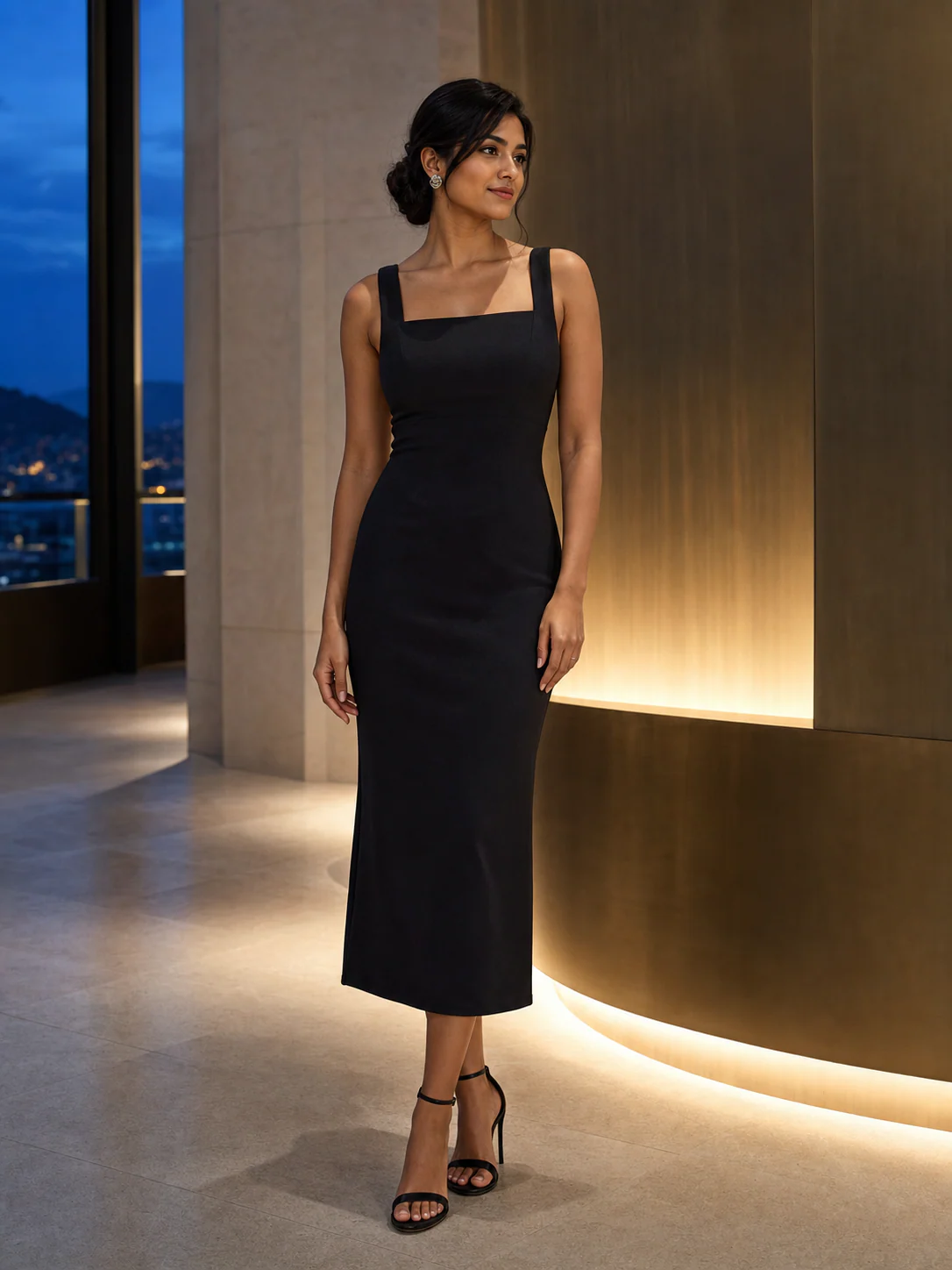
Original portrait used to test a bridal gown preview
Original photo
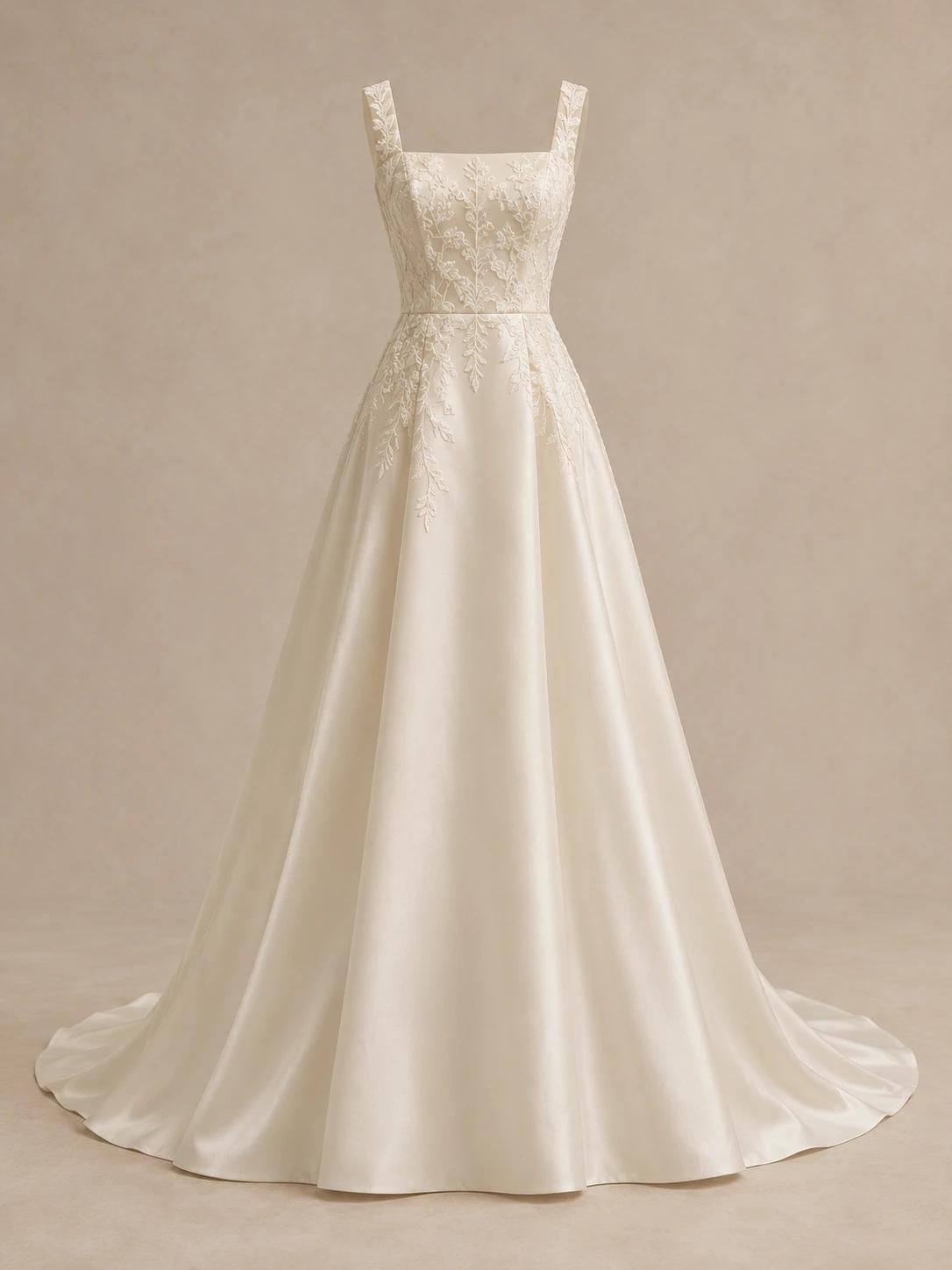
Ivory square-neck A-line bridal gown reference with botanical lace
Gown reference
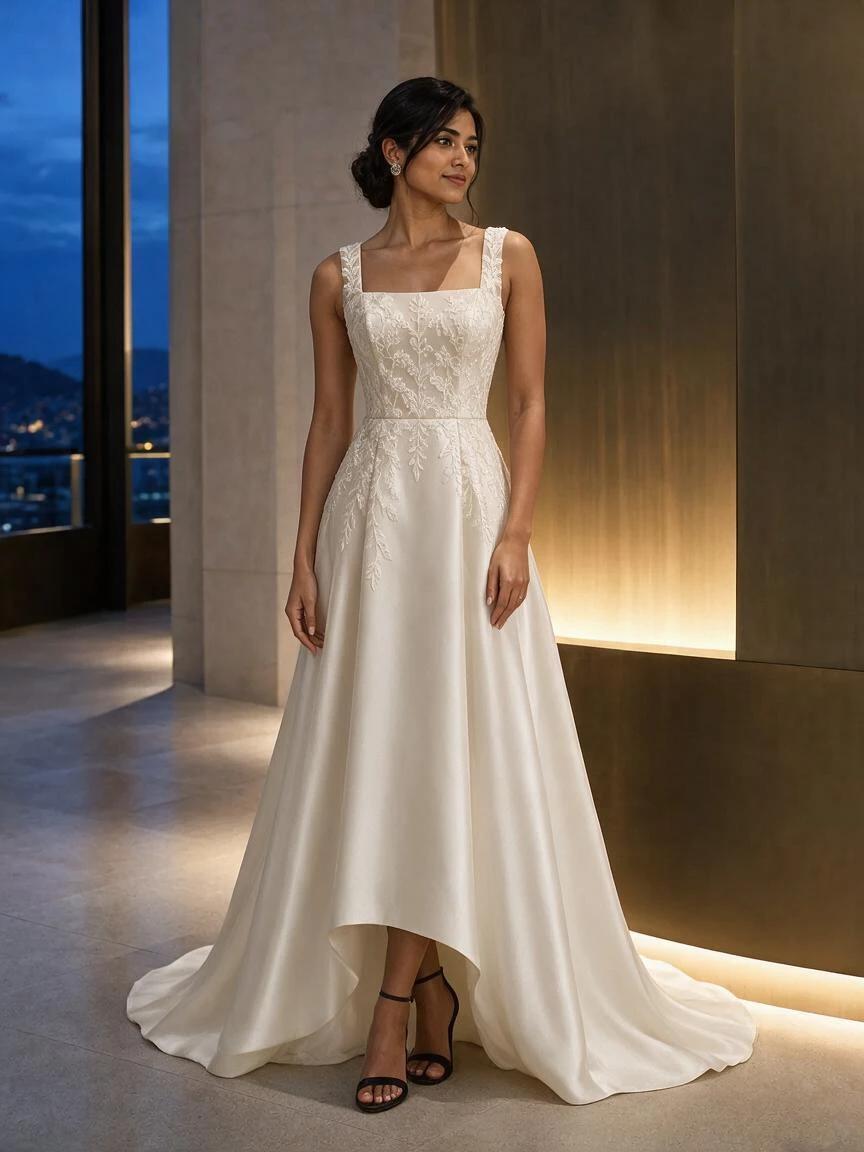
AI preview showing the square neckline and ivory silhouette while shifting lace and train details
AI preview

Notice how the preview captures neckline, ivory tone, and waist line accurately while simplifying fine lace and raising the front hem.

1. What AI virtual try-on reliably helps you judge

A visual preview is strongest at answering high-level styling questions before you add an item to your cart. Instead of imagining how a catalog color or neckline works on you, you can see the overall balance directly on your own photo.

  • Color harmony with your hair, skin tone, and existing trousers or shoes.
  • Neckline and collar direction (crew vs. V-neck, structured lapel vs. soft cardigan).
  • Broad silhouette balance (cropped jacket vs. longer blazer, A-line vs. fitted waist).

2. Where AI previews remain an approximation

Image generation models adapt a reference garment to your pose visually — they do not run a 3D cloth physics simulation against your body measurements. Always inspect generated details against the original product page.

  • Exact size and tightness: a preview cannot tell whether a Medium pulls across your shoulders or chest.
  • Fine text, logos, embroidery, and intricate lace: small motifs may soften or shift.
  • Exact sleeve or hem inches and fabric weight: stiffness, stretch, and sheer drape vary in real life.

3. The two-step routine before clicking Checkout

Use SameMuse to cut bad styling matches early, then rely on physical specs for your final size choice. Combining both eliminates both color regrets and avoidable sizing returns.

  • Step 1 (Visual shortlist): preview 2–4 candidates on your photo and discard colors or cuts that feel off.
  • Step 2 (Physical check): verify chest/waist/hip measurements, fabric composition, and return policy on the store page.

Questions to answer with an AI preview

  • Does this color and neckline suit my face and proportions?
  • Which of these two or three silhouettes feels right for the occasion?
  • Does this jacket or dress layer visually with what I already wear?

Decisions that still require retailer specs

  • Choosing between S, M, and L without checking actual chest/waist numbers
  • Judging fabric breathability, stretch, or lining thickness from pixels
  • Assuming generated logo placement or hem inches match tailoring specs

Good to know

Questions, answered plainly.

Your first standard try-on works without an account, and your photos are removed automatically.

01Can SameMuse tell me which clothing size to buy?

No. SameMuse does not measure your body or simulate garment ease. Use the preview for color, silhouette, and styling decisions, then match your measurements to the retailer size chart.

02Why did a small logo or lace pattern change slightly?

AI image models prioritize natural lighting and garment shape over pixel-exact micro-textures. Small logos, fine stripes, and delicate lace may look simplified in a preview.

03Does HD quality make sizing more accurate?

HD (20 credits) produces sharper textures and cleaner edges than Standard (10 credits), which helps evaluate styling details, but it is still a visual preview rather than a sizing tool.

04Do you modify my body shape to make clothes look better?

No. SameMuse aims to preserve your natural pose and body proportions as the anchor rather than applying slimming or beauty filters.

The fitting room is ready

See it on you before you buy it.

One free standard try-on, no sign-up. Your photos are deleted automatically after seven days.

Try your first look free